jueves, 18 de noviembre de 2010

MY CLASSROOM


LESSON 3: My classroom

(50 minutes)
For students between 12 and 14 years
Skills to be emphasized
Speaking, and writing.
Target vocabulary
All the things related with the classroom

Objectives
By the end of the class the students should be able to:
Ø Brainstorm about the parts of the classroom
Ø Describe a virtual classroom
Ø Speak about learning environment
Activity 1:
WARM UP  fill in the blanks with parts of the classroom

http://iteslj.org/cw/2/mg-classroom.html
(10 minutes)
1 Introduce the lesson
Tell the students there will be an exercise about the classroom and its parts. First tell the that they have to remember for 2 minutes about some parts of the class they know vey well, In order to type them


2 start the excercise
Remind the students this is just a game not a competition
First go to this page:
Second follow the instructions on the web site
3 Share one of your observations with the class
Share with the one of your observations you made about virtual class while you were surfing on the net. For example: I felt like investigating a lot about the different kind of classroom
4 Ask the students to share the information found on the net with the partners

http://www.englishexercises.org/makeagame/viewgame.asp?id=3326#a
5 Using the PC present some alternatives to learn some new vocabulary on the net for the target language
 Congratulate to all the students for their participation in class let them know that the class participation is very necessary in order to get confidence with the language

Activity 2: Presentation
(10 minutes)
Each student has to look for a word related with the class, but without repeating it
Activity 3: Practice
(10 minutes)
Using the internet students are going to look for some excercises in the American language in order to note the pronunciation, and after that they’ll copy them in a  digital document as a class work, and it to the teacher

Acidity 4: Debate

(10 minutes)
Tell the students the importance of the use of vocabulary, pronunciation and writing in a correct way about some parts of the class

Activity 5: Follow-up

(5 minutes)
(Homework)
v Tell the students to type a short list with all the parts of  a classroom with the correct pronunciation, simple sentences like Subject verb and a complement,  and to this email :
CALIWALLY_1737@YAHOO.ES
v There will be a small quiz about some vocabulary next class


jueves, 4 de noviembre de 2010

sINTERNET QAND MULTIMEDIA Skype and videocalls

Skype is a prgrama where you can find a lot of people and practice the language just you have to download the program from the web and use it


It's easier to find more information in this link

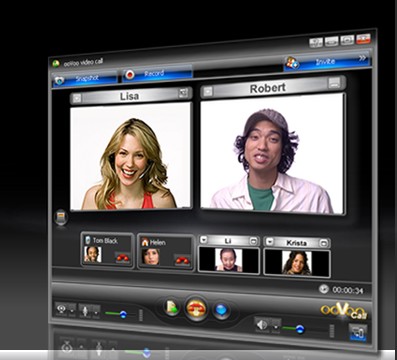
VIDEOCALLS.- are used to comunicate between 2 people I personally suggest you to use YAHOO MESSENGER because it gives you the option to conect between 2 or more people at the same time and is very usefull in order to get in touch with your relatives, etc.
Also like all the services we have there's dos and donts you can find in this link : http://ezinearticles.com/?Advantages-and-Disadvantages-of-Conference-Calling&id=352294

But some peple don't know how to use it I have put a link where you can see more information: http://www.youtube.com/watch?v=rFf4G6k4xyM

sábado, 23 de octubre de 2010

MY OWN PORTFOLIO

TECHNICAL UNIVERSITY
OF AMBATO


ENGLISH CAREER
INTERNET AND MULTIMEDIA
“PORTFOLIO”


Wilmer E. Burbano A.
V “U”

“FACEBOOK”


Ø Facebook. – This tool can help us in order to keep in touch with our learners through the chat it contains and also find some native speakers in the web. In order to get more information here you have the address to create an account: www.facebook.com/ or also here you are a page to help you to create an account: www.youtube.com/watch?v=ur5kNj61dxs
TWITTER


Ø Twitter. – is an excellent tool in order to get more confidence with the English language in the web also you can follow some institutes that teach just English like the Cambridge University, also you have a page to create your account: http://www.twitter.com/ with some helpful information from the web: www.youtube.com/watch?v=J0xbjIE8cPM

HI5


Ø Hi5. - It`s used to share some information with others and find people who speaks or practice some foreign languages like the English, it can be used to keep in contact with some teachers that can help us with the language, here you are the address: http://www.hi5.com/ and also a guide to help you: www.youtube.com/watch?v=C7i1pg3N-no

FROM EMAIL TO FACEBOOK


Ø From e-mail to Facebook.-is a tool in order to get our contacts from our email addresses to our facebook account in seconds for being in contact with then, if they don’t have an account yet, you can invite them to create one!!. This is the address: www.facebook.com and also a practical guide to use it: http://www.youtube.com/watch?v=HpdgM7lM60o

Ø Blogger


Ø Blogger. - is a web site where you can share your information about certain topic of your interest or find specific information you are looking for. Also here you have an extra information: www.youtube.com/watch?v=ryb4VPSmKuo For more information visit: www.blogger.com.

INDEX


Ø Index. - This tool can maintain our contacts in a good way like in lists of family, friends, and some others we have contact with. For a small help you have to visit your main email account like yahoo, hotmail.etc : http://www.yahoo.es/ and here you have the link: www.youtube.com/watch?v=iApLbLpbuwc


PORTFOLIOS


Ø Portfolios. - It is good to keep in order our personal information and help the learners to develop the way of the knowledge and put in a organized way our documents to share with others. I have a page that can show you how t work in a portfolio: www.youtube.com/watch?v=7T5M99RzwmU

martes, 19 de octubre de 2010

Internet and multimedia resources

Teach children colors through :
  • Songs

  • Stories

  • Art Activities

  • Color flashcards They find them fun and remember the mixing of colors and recognise color words well. They can even spell the color words without having to memorise them.

    Tell A Friend Script provided free of charge by ITistic Inc..

    Causes of color
    Find out why things are colored
    Color Blindness
    Take a test here.
    Make a Splash with color
    Detailed facts like hue, saturation etc.
    Color FAQ - Frequently Asked Questions
    You can get most of your answers about colors here
    A printable book about colors for children. You will need to have the freeAcrobat Reader to be able to view or print out this book.
    Conditions for using this material:
    You may not use it for commerical purposes.
    You may not erase our name and the copyright at the bottom of each page.

    BOOKS TO READPrintable book about colors to read
    Page 1
    Page 2
    Page 3
    Page 4
    Page 5
    Page 6
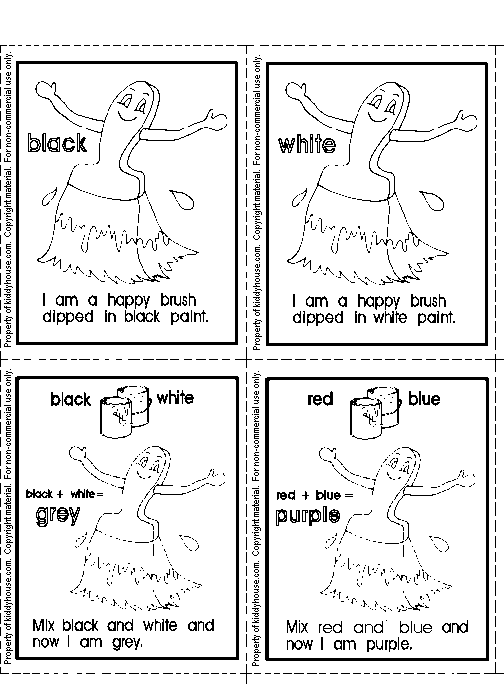
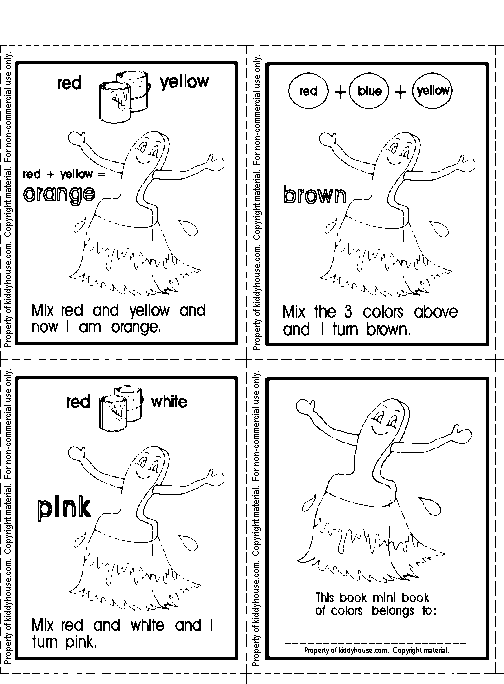
    WORKSHEETSMini book of colors - Coloring activity
    Print out, color, cut and staple together to make a mini book.
    Page 1
    Page 2
    Page 3 Match the color to the color word
    Easter Color Matching
    Read the color words and color the butterfly
    New, added 2009
    OTHER ACTIVITIESChange the color Activity for kids
    Learn about colors by clicking on the color buttons and see the background color change.
    Color matching madness by Crayola
    Match the colors, interactive game
    A Rainbow of Frogs
    Learning about colors with frogs
    What's different about these fire engines?
    Learn about colors and numbers activity
    Color Wheel
    Make a color wheel.
    Kinderart-Make an Artbook
    A very interesting color book to make.
    What color is it ?
    Interactive online activity.
    FOR TEACHERSPrimary Units
    Lesson Plan Unit on Colors, Shapes & Sizes in pdf. format. Requires Acrobat Reader to view. The Color of Light
    Lesson plan for Grade Level: 4 - 6.
    Color Activities
    Lots of ideas, poems and songs related to colors.
    The Color of Light
    Lesson plan for Grade Level: 4 - 6.
    Tasty color mixing
    Lesson plan for Grade Level: K-4 or ages 4-8. A fun and tasty color mixing lesson for the primary grades (special thanks to Maryanne Messier).
    Water Color Rainbows
    Lesson plan for Grade Level: K-2 or ages 4-6. This is a good lessons for teaching children how colors blend to make new colors.
    Our Exciting World
    Lesson plan for ages 5-7 using Sunshine Books.
    Ask ERIC : Fun With Colors on the Internet Submitted by: Jamie Juergens
    Grade and Subject: Kindergarten, Art - Colors . Objectives: Students create products and make presentations that convey concepts and feelings.
    Childfun Themes : The color red
    Lesson ideas
    Childfun Themes : The color pink
    Lesson ideas
    Childfun Themes : The color pink
    Lesson ideas
    Childfun Themes : The color green
    Lesson ideas
    Childfun Themes : Rainbow
    Lesson ideas
    Perpetual School Colors
    Lesson ideas and activities for preschool
    Mixing Primary - Secondary colors by Lois Ann Lynn
    GRADE LEVEL/SUBJECT: (K-6) By the end of the lesson, each child will have made their own color wheel by mixing colors of Play Doh. Each child will be able to name the primary and secondary colors.
    3 Color Exploration Activities Using Cellophane
    Age Level: Pre-K to 2
    STORIES, POEMS & SONGSColor Poems and songsMy Many Colored Days by Dr Seuss
    A short story about colors
    My Colors by David Lumerman
    Short, illustrated color story for young children
    Color Songs
    Lots of songs about colors